Spawn a hit from Blueprint
A one-shot contact effect normally uses Spawn System at Location. Keep gameplay damage and hit detection in your own game; these packs provide the visuals.
Spawn with instance controls
Section titled “Spawn with instance controls”- Add Spawn System at Location to the event that receives your hit result. Choose the Niagara system from the volume’s Systems folder.
- Connect the hit’s Impact Point to Location. Set Auto Activate to false so parameters are applied before the burst. For a disposable component, enable Auto Destroy.
- Use the returned Niagara component as the target of the appropriate typed Set Niagara Variable nodes. Set
AnimationFrameStepwith an Int setter,Sizewith a Float setter, and colors with a Linear Color setter. - For a system that exposes
ImpactDirection, pass the hit’s Impact Normal using a Vector3 setter. SetCameraFacingto false when the effect should remain aligned to that surface. - Call Activate on the component after all overrides are assigned.
The parameter type must match the effect’s table exactly. A Float setter does not replace an Int input. Use the parameter name shown by Unreal’s User Parameters; the full names in the reference include the User. namespace.
Replay and ownership
Section titled “Replay and ownership”For an existing component, set overrides and Reinitialize System to restart the burst. Avoid repeated activation without resetting a completed simulation. Use Spawn System Attached only when the hit should follow a moving component. Review Niagara auto-release pooling for frequent impacts; do not retain references to components after the pool has reclaimed them.
See orientation and instance overrides before wiring controls that a particular effect might not expose.
Inspect the supplied demo Blueprint
Section titled “Inspect the supplied demo Blueprint”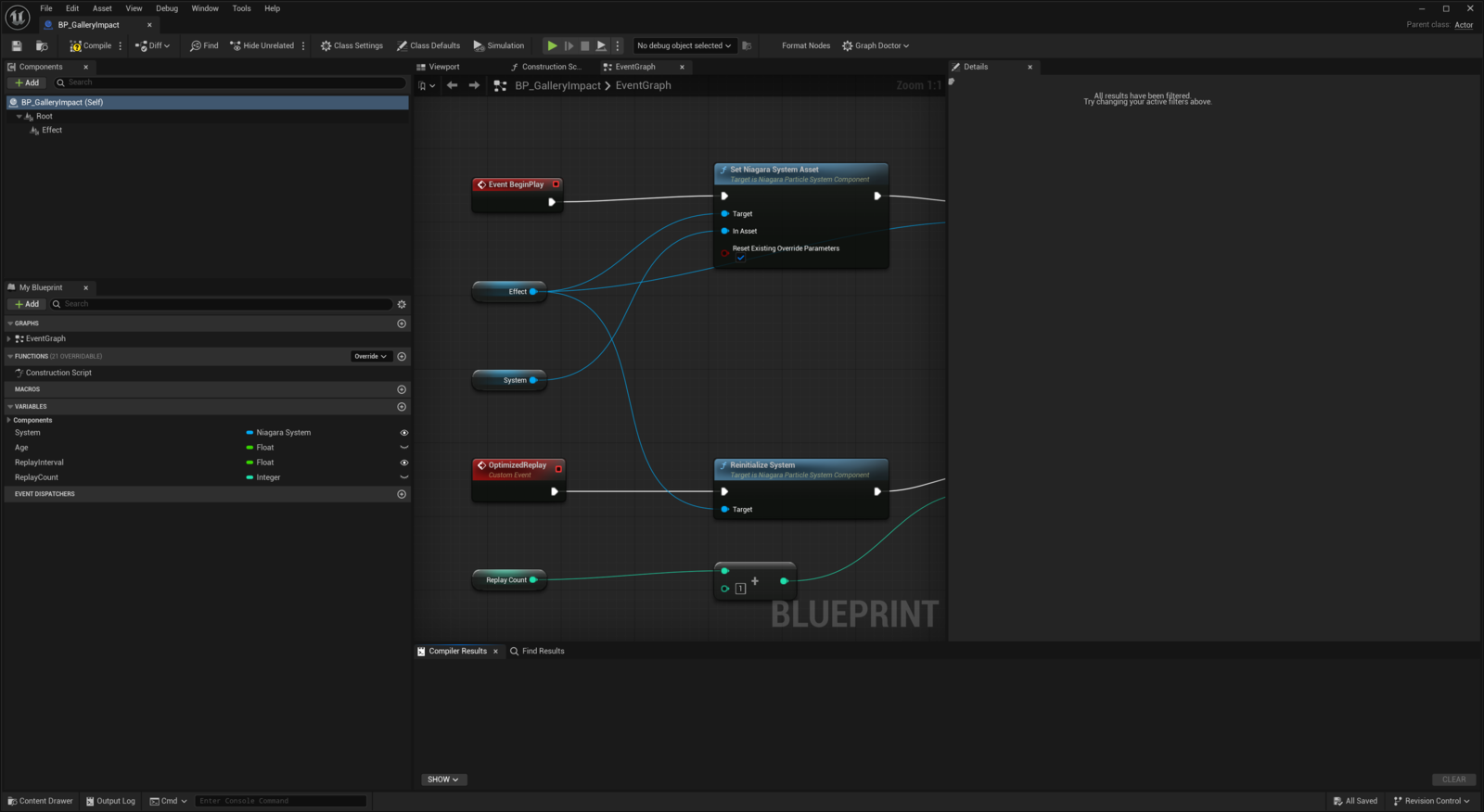
The gallery Blueprint uses an Effect Niagara component and a replay interval. BeginPlay activates the effect, disables actor Tick and starts a one-shot timer. The OptimizedReplay event reinitializes the effect and schedules its next replay. Open its EventGraph to inspect this flow; see performance and profiling. This is the gallery implementation; the one-shot spawn workflow above belongs in your own gameplay Blueprint.